Comparison
Kurli vs Krea AI Hairstyle Changer
Both let you try a hairstyle on your own photo for free. The real difference is who picks the style, so here's a fair breakdown.
About Krea AI Hairstyle Changer
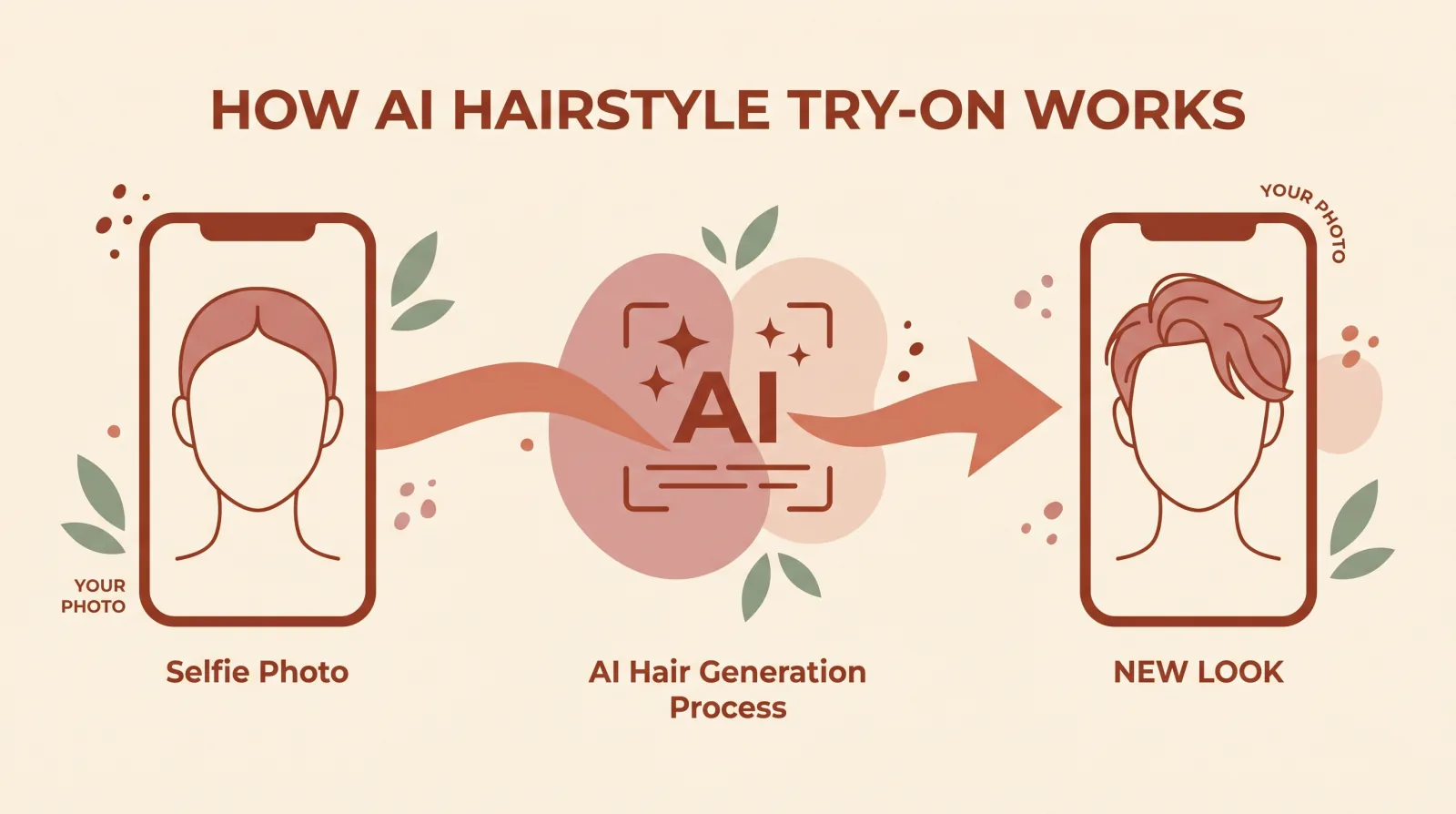
Krea's AI Hairstyle Changer is a tool inside Krea, a broader AI creative platform. You upload a selfie, then type or choose the haircut or hair colour you want to try, and it generates a preview on your photo. Its own page says it analyzes your face shape and skin tone as part of making that preview, and its FAQ gives general tips, such as that bobs suit round faces and layers soften square faces, but the workflow is still led by you: you pick or describe the look rather than being given a recommendation for your face. It needs one well-lit, front-facing photo, and its page states you can try as many hairstyles as you want for free, with no credit card and no sign-up needed. Krea's privacy policy says it will not sell personal data, but does not state how long uploaded photos are kept or whether they are used to improve its models.
Where Krea AI Hairstyle Changer is strong
- Backed by Krea, an established AI creative platform, not a single-purpose hairstyle tool
- Lets you type or choose any haircut or hair colour yourself, not limited to a fixed set of picks
- No sign-up needed at all to generate a preview, by its own page
Where Kurli is strong
- Reads your face shape and picks the styles that suit it, with a reason for each, rather than leaving the choice to you
- The face-shape read and top style pick are free, with no account
- States a clear way to get your photo deleted (email hello@kurli.me); Krea's policy does not set a retention period for photos
Feature by feature
| Feature | Kurli | Krea |
|---|---|---|
| Renders a hairstyle onto your own photo | ||
| Recommends styles based on your face shapeKrea's page says it analyzes your face shape and skin tone as part of generating the preview, but its FAQ gives only general tips (for example, that bobs suit round faces); you still choose or describe the style yourself rather than being given a pick for your face (checked 8 October 2026) | ||
| Explains why a specific style suits youKrea's face-shape tips are general, not tied to your own photo. Kurli's result always includes a reason written for your face | ||
| Lets you type or choose any style in your own wordsKurli returns a focused set of styles chosen for your face rather than an open request | ||
| Hair-colour try-on | ||
| Needs only one photo | ||
| Free preview with no sign-up at allKrea's page states no sign-up is needed to try the tool, and lists a Free Plan at $0 (checked 8 October 2026). Kurli's face-shape read and top style pick are also free with no account; its other style picks and any render onto your own photo are paid | ||
| States how long photos are kept and how to delete themKrea's privacy policy does not set a retention period for uploaded photos (checked 8 October 2026). Kurli keeps a copy until you ask for it to be deleted by emailing hello@kurli.me | ||
| On-device face-landmark detectionKrea's page does not describe where its face analysis runs |
means we could not confirm it from Krea AI Hairstyle Changer's own site. Facts last verified October 8, 2026.
Which should you choose?
You already know the exact haircut or colour you want and would rather describe it yourself
KreaKrea lets you type or choose any style to preview. Kurli instead picks a focused set of styles for your face.
You want to try hair colour as well as a cut
KreaKrea's tool previews hair colour alongside haircuts. Kurli focuses on haircuts only.
You don't know which cut suits your face shape
KurliKurli reads your face shape and picks the cut that suits it, with a plain reason, before you decide.
You want a clear answer on how long your photo is kept
KurliKurli states a deletion path by email. Krea's privacy policy does not set a retention period for photos.
Common questions
Is Kurli or Krea's AI Hairstyle Changer better for finding a hairstyle?
It depends what you want. Krea is the better pick if you already know the look you want and would rather type or choose it yourself. Kurli is the better pick if you don't know which cut suits your face: it picks a focused set of styles for your face shape and explains why each one suits you.
Does Krea recommend a hairstyle for my face shape like Kurli?
Krea's page says it analyzes your face shape and skin tone as part of generating the preview, and its FAQ gives general tips, such as that bobs suit round faces (checked 8 October 2026), but you still choose or describe the style yourself rather than being given a pick for your face. Kurli places 468 points on your face inside your browser, works out your face shape, and picks the styles that suit it, with a reason for each.
Are both free?
Krea's own page says you can try as many hairstyles as you want for free, with no credit card and no sign-up needed (checked 8 October 2026). Kurli's face-shape read and top style pick are also free with no account; the other styles it picks and any render onto your own photo are paid, and the first render is sold at an intro price.
Do I need an account for either tool?
No, for the main preview on either. Krea's page says no sign-up is needed to try the hairstyle changer; an account is only needed to save favourites or for extra features it does not list (checked 8 October 2026). Kurli also needs no account for its face-shape read and top pick; signing in only saves your looks across devices.
Can I try on hair colour as well as a haircut?
Yes, with Krea: its tool previews hair colour alongside haircuts (checked 8 October 2026). Kurli focuses on haircuts and does not currently offer a colour try-on. If colour matters as much as the cut, Krea covers more ground; if the cut is your question, Kurli picks it for your face and explains why.
How many photos does each tool need?
One for both. Krea asks for a well-lit selfie facing the camera and suggests pulling long hair back so it can see your hairline (checked 8 October 2026). Kurli also needs one front-facing photo, or a webcam capture, and warns you if your head is turned too far for it to read.
What happens to my photo with each tool?
Krea's privacy policy says it will not sell personal data, but it does not state how long uploaded photos are kept or whether they are used to improve its models (checked 8 October 2026). Kurli maps the points on your face inside your browser, then sends the photo securely to Google's Gemini API for the results. Kurli keeps a copy to check results, never sells or publishes it, and deletes it when you email hello@kurli.me.
Which tool lets me describe the exact style I want?
Krea does: you can type or choose any haircut or colour to preview. Kurli does not take an open style request; it picks a focused set of styles for your face shape and gives a reason why each one suits you, so you start from its pick rather than your own guess.
Try Kurli for yourself
Upload a selfie and see the styles that suit your face: free, no credits, one tap to sign in with Google.
The face-shape read and your top pick are free. Your photo is never sold or used to train AI.